How to activate your account?
After you have registered, you will receive an email with a link to activate your account.
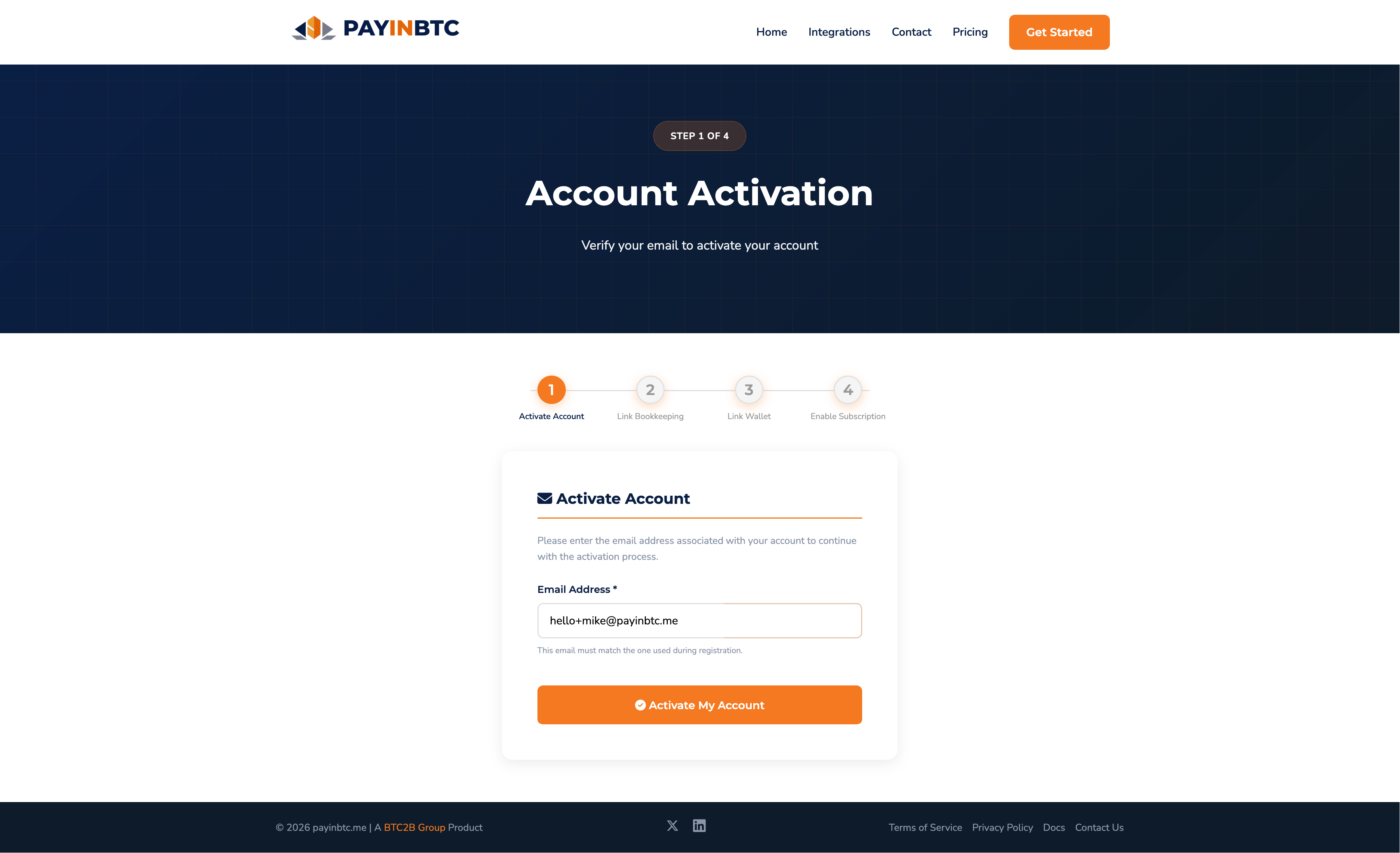
Activate your account
The process starts with the activation of your account by confirming the email address.
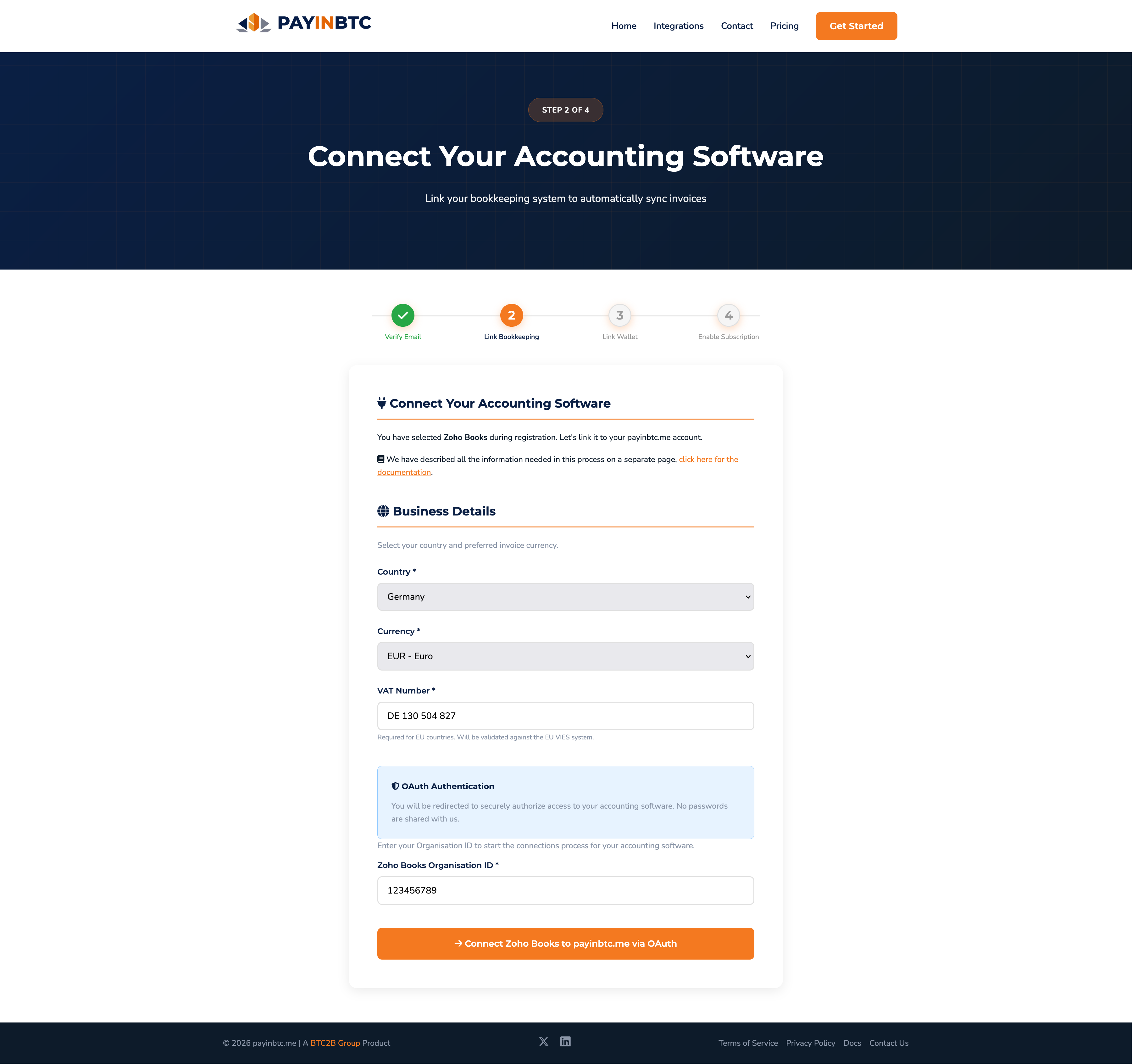
Connect accounting software
The next step is connecting your accounting software to the platform. We need to know your bookkeping currency, so we make sure the conversion to Bitcoin is done correctly. Since we are EU based, we need to verify you VAT status. Therfor we need your VAT number as well. We keep the amount of data stored to the bare minimum because we respect privacy.
Next is connecting the accounting software. In this example Zoho is connected via Oauth. This works for all accounting software that support Oauth the same. We also have some software that authenticate via a Bearer token, then you need to enter the API key on this screen.
When pressing the button you are redirected to the accounting software. You have to login and confirm you agree we can retrieve invoice data. After confirmation this step is done.
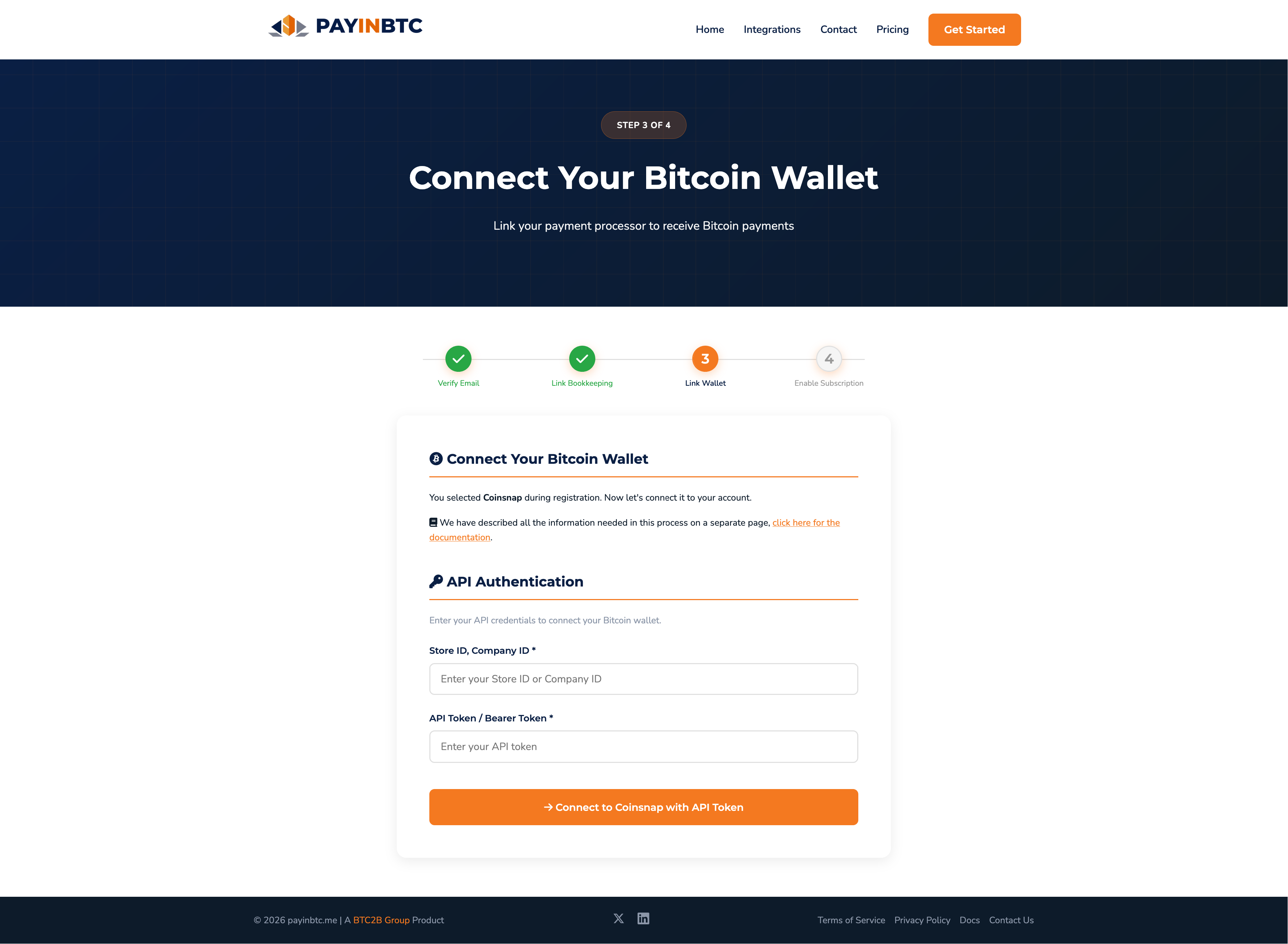
Connect payment provider
Next we need to connect your payment provider. Most of the time this is done via a Bearer token / API key, just like in the Coinsnap example below. If additional information is needed - like a store ID - you have to enter this as well. You will receive the instructions on how to retrieve this as well.
Activate subscription
After confirming the wallet details, you can continue to the subscription activation.
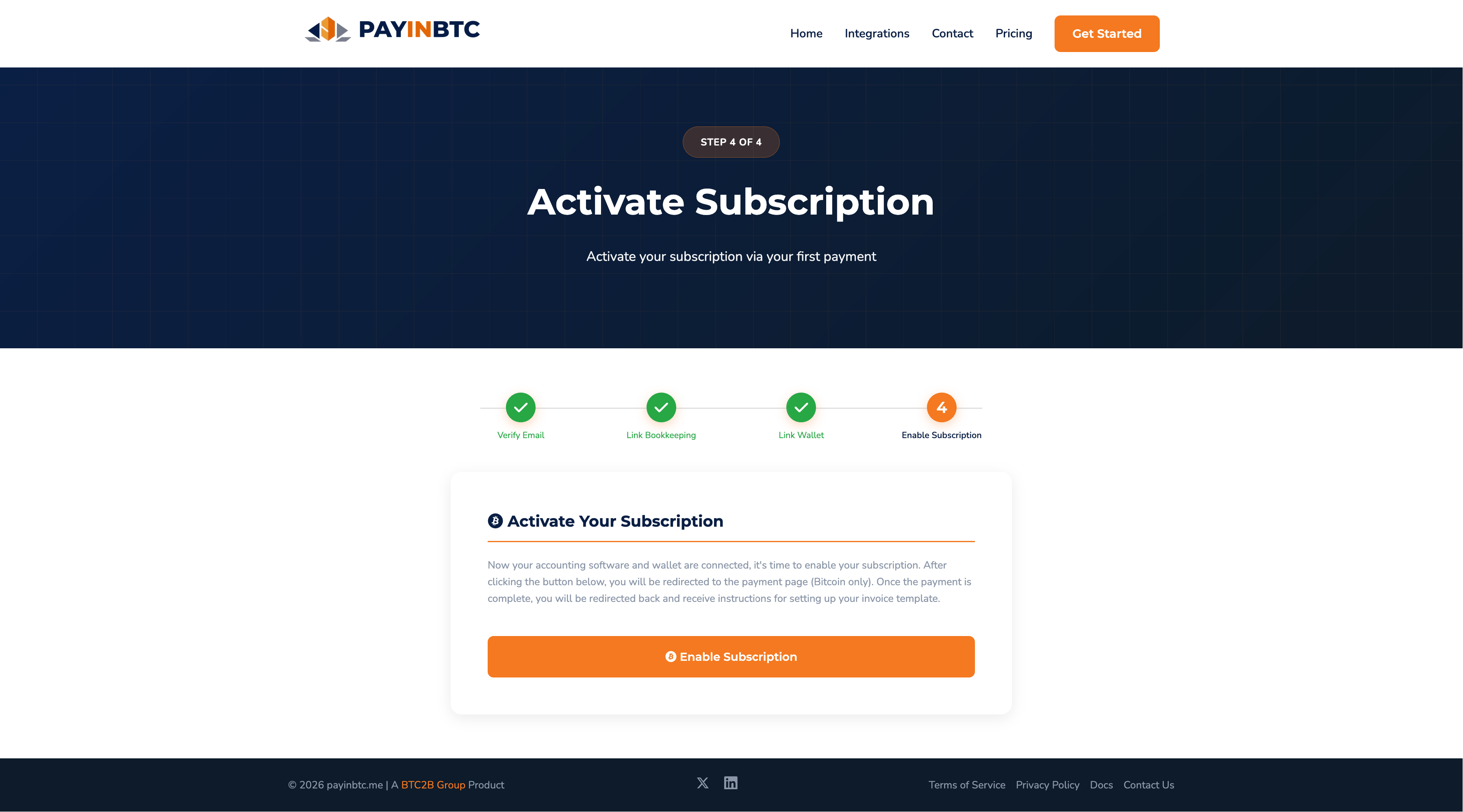
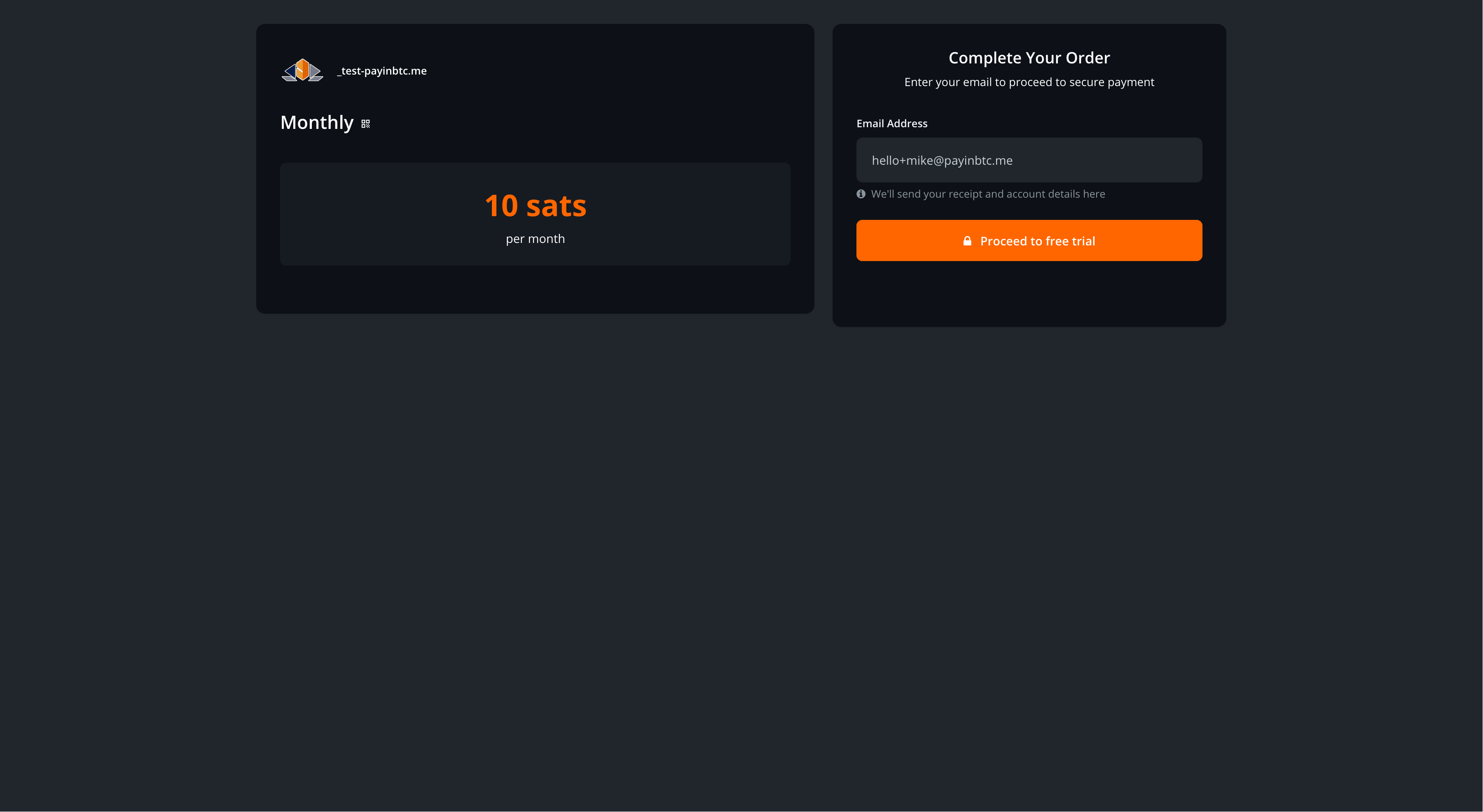
Since we have the first month as a free trial, there is no need for a payment. Simply proceed to free trail and the subscription is activated. Once your free month is almost over you will receive a payment reminder.
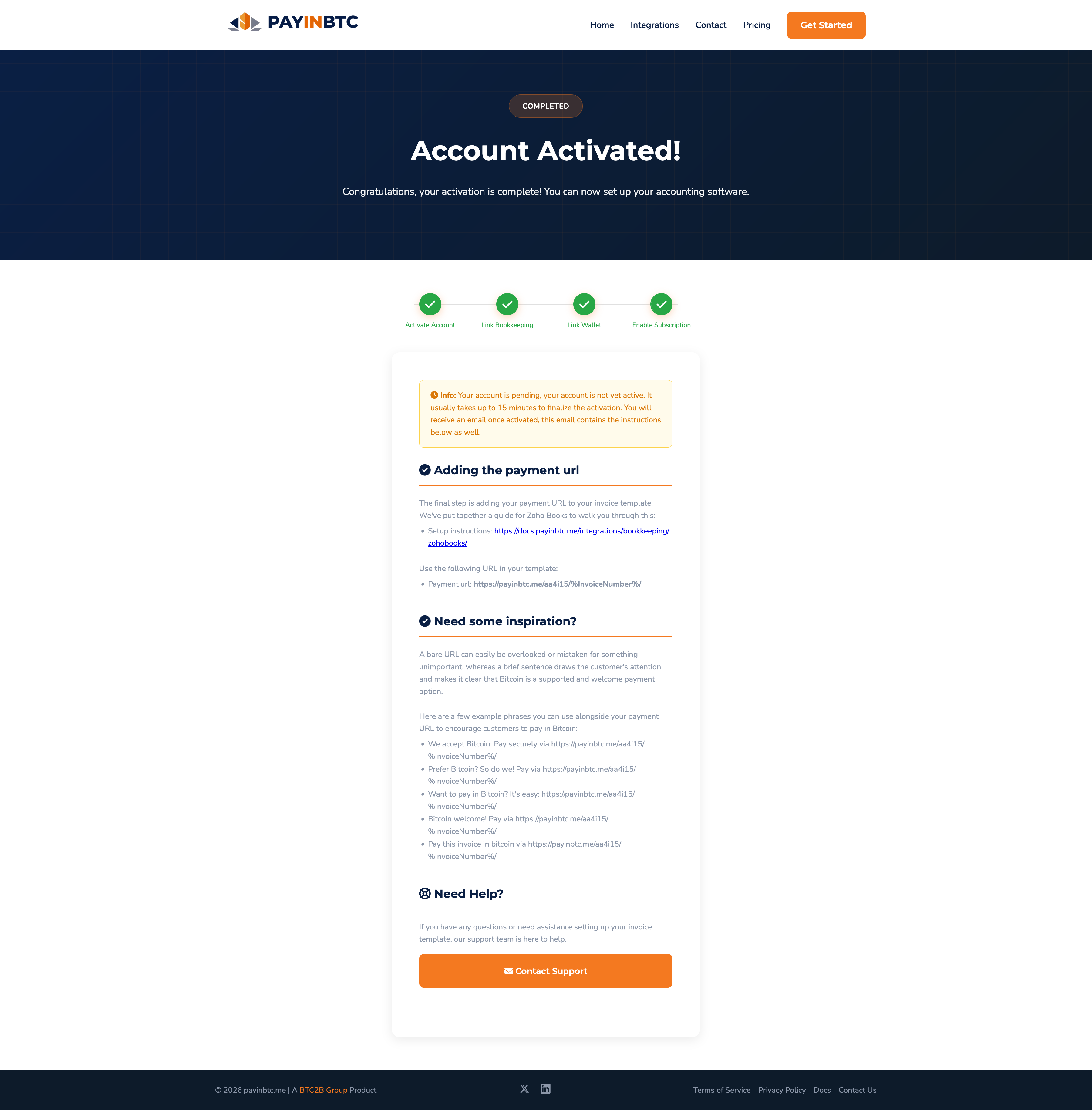
Account Activated
You will be redirected to the account activated page, confirming everything went well. Final step is to setup your invoice. Since this is different per accounting software we have described it on different pages. The account activation mail will include the link. To have an impression you can check the bookkeeping pages on this documentation site.