Sage Business Cloud Accounting
Sage Business Cloud Accounting is mainly used by small businesses and sole traders, particularly across the UK and Europe, to handle invoicing, expense tracking, VAT submissions, and day-to-day bookkeeping. It is also adopted by businesses looking for a straightforward cloud-based accounting solution that connects with other tools and services through its API for more automated financial workflows.
Features
- Authenticate via OAuth
- Retrieve invoice data via API
- Your customer needs to enter the invoice number manually after clicking the link on the invoice
- Your customer is redirected to the payment page after clicking the link in the mail send with the invoice.
Setup Sage
Connecting your account to Pay In BTC
In step 2 of the activation procedure you need to connect Sage to Pay In BTC. This is done in the following setps:
- Click the Connect button
- You'll be redirected to the Sage login page — log in if you aren't already
- Approve the access request when prompted
- You'll be sent back to payinbtc.me automatically — your account is now connected
Add bitcoin payment link to invoice
We have to add the bitcoin payment link to the invoice. To set this up, perform the following steps.
- Logon into Sage with your credentials.
- Click Settings in the navigation menu.
- Click Business Settings in the sub menu shown.
- Click on the tile Document Preferences
- Scroll down to the Footer Details and Terms & Conditions sections like below
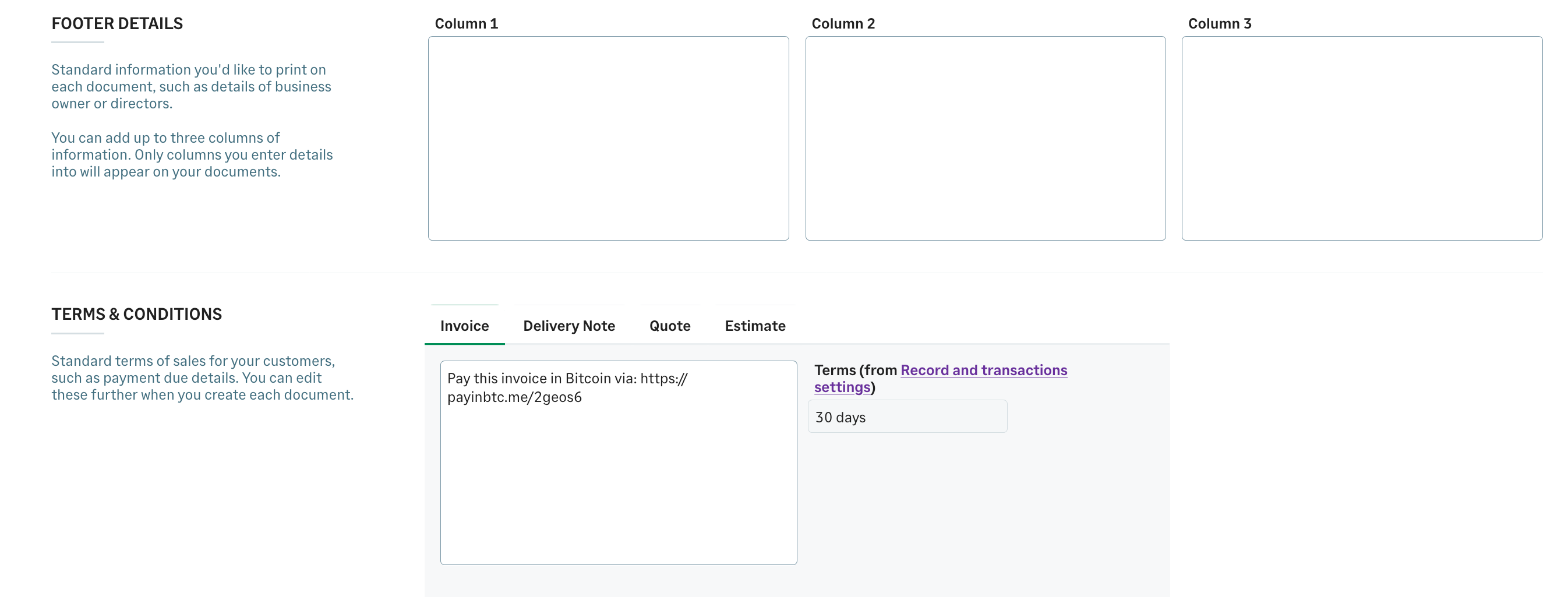
- Choose the location where you want to add the payment link. Please see account activation email for the details about this link.
Add bitcoin payment link to invoice email
You can add the payment link to the email that is sent to the customer with the invoice.
- Logon into Sage with your credentials.
- Click Settings in the navigation menu.
- Click Business Settings in the sub menu shown.
- Click on the tile Document Emails
- The following screen is shown:
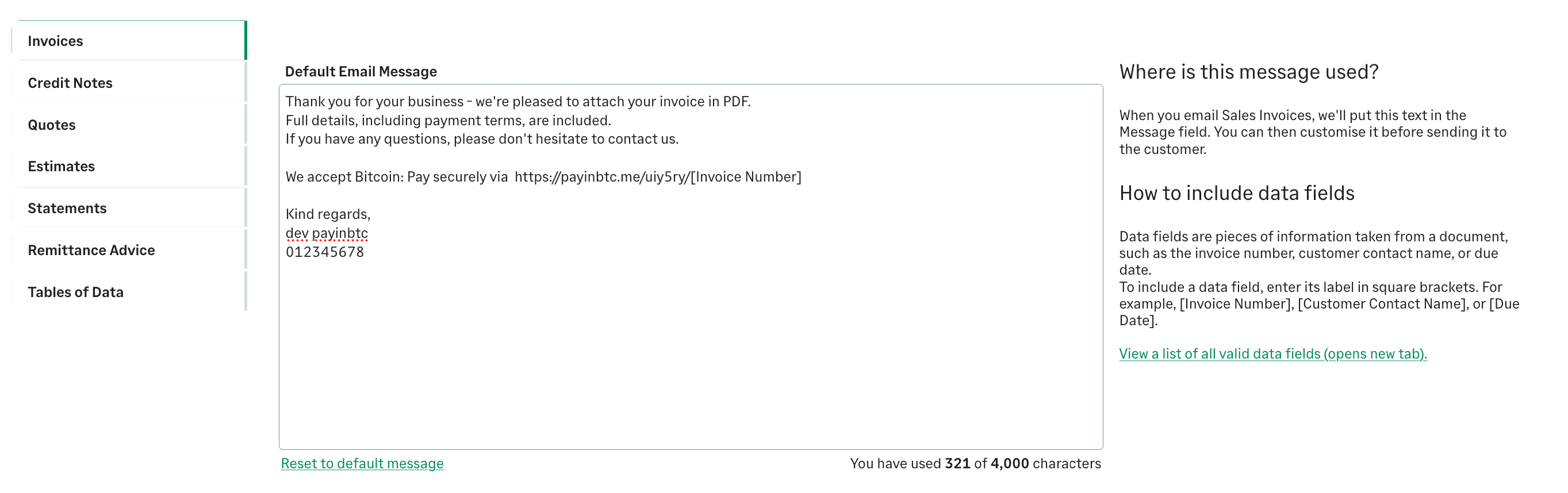
- You can add here the payment link. Please see account activation email for the details.
Done! You are now ready to accept bitcoin via your invoices. Test it out with a test invoice.
Remarks
- Sage doesn't support template variabele in invoices. Therfor if your customer clicks on the link they will be redirecterd to a form where they have to enter the invoice number. Clicking on the link in the email will redirect them directly to the payment.
- This page describes the setup for Sage Accounting. The setup for other Sage products will be comparable. Let us know if you need some help configuring other Sage products.