Freshbooks
FreshBooks is mainly used by freelancers, self-employed professionals, and small service-based businesses, particularly consultants, designers, photographers, and writers in North America to handle invoicing, expense tracking, time billing, and basic bookkeeping. It is also adopted by agencies and project-driven teams that need to tie time tracking and client billing directly into their accounting workflow.
Features
- Authenticate via OAuth
- Retrieve invoice data via API
- Your customer needs to enter the invoice number manually after clicking the link on the invoice
- Your customer is redirected to the payment page after clicking the link in the mail send with the invoice (only available on FreshBooks Premium and Select)
Setup
Connecting your account to Pay In BTC
In step 2 of the activation procedure you need to connect FreshBooks to Pay In BTC. This is done in the following setps:
- Click the Connect button
- You'll be redirected to the FreshBooks login page — log in if you aren't already
- Approve the access request when prompted
- You'll be sent back to payinbtc.me automatically — your account is now connected
Add bitcoin payment link to the invoice
Now we have to add the bitcoin payment link to the invoice. To set this up, perform the following steps.
- Logon into FreshBooks with your credentials
- Click Invoices in the navigation menu
- Press button New Invoice
- A new invoice is shown. Look for the footer, underneath Terms
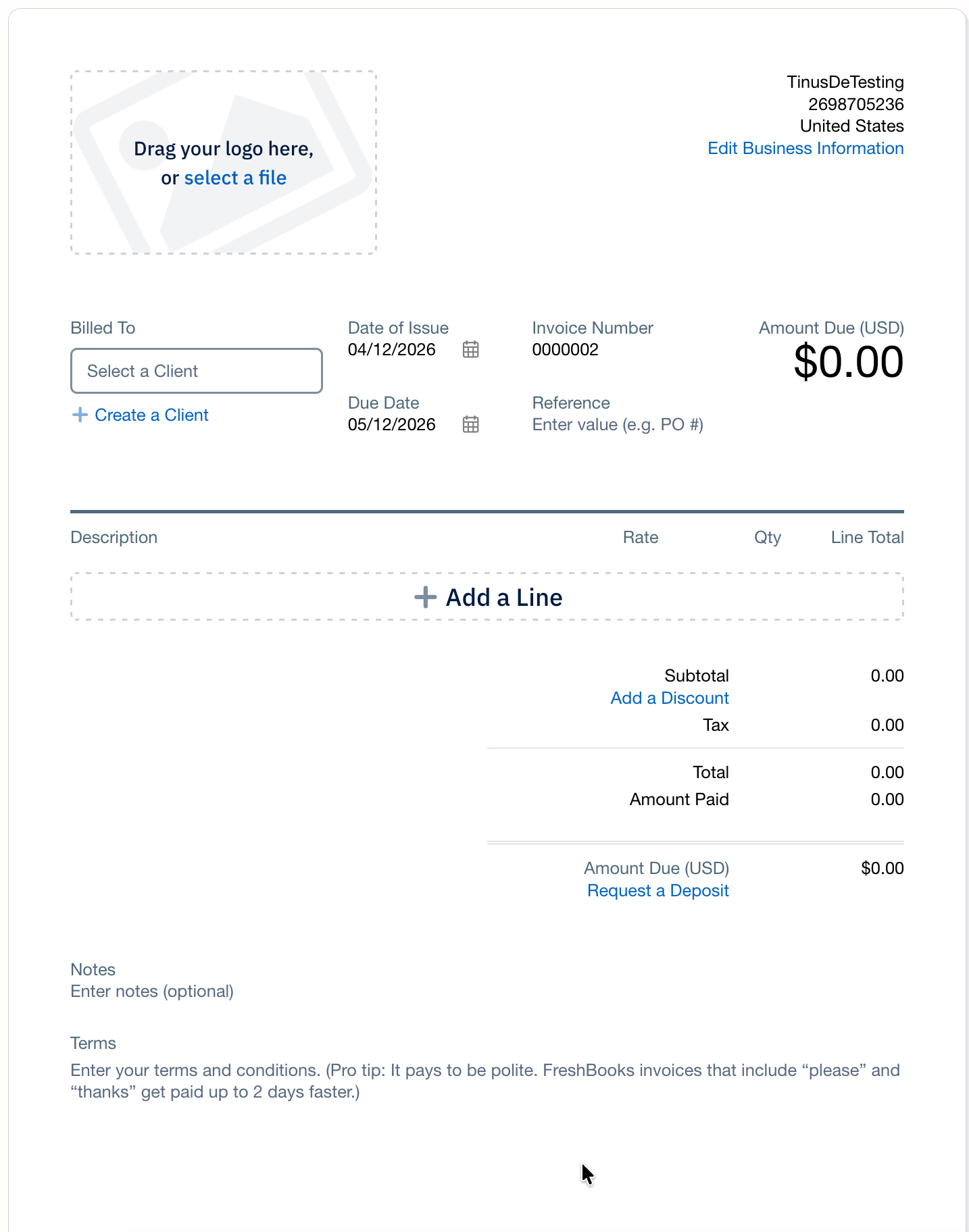
- Add the payment link to the Terms Please see account activation email for the details about this link
- Continue with this invoice and press Save when ready.
- The Terms are applied to all invoices, so this link is shown on all future invoices.
Add bitcoin payment link to the 'New Invoice' email
The last step is to add the bitcoin payment link to the email that is send with a new invoice. To set this up, perform the following steps.
- Logon into FreshBooks with your credentials
- Click Settings in the navigation menu
- Click the tile Email Customization
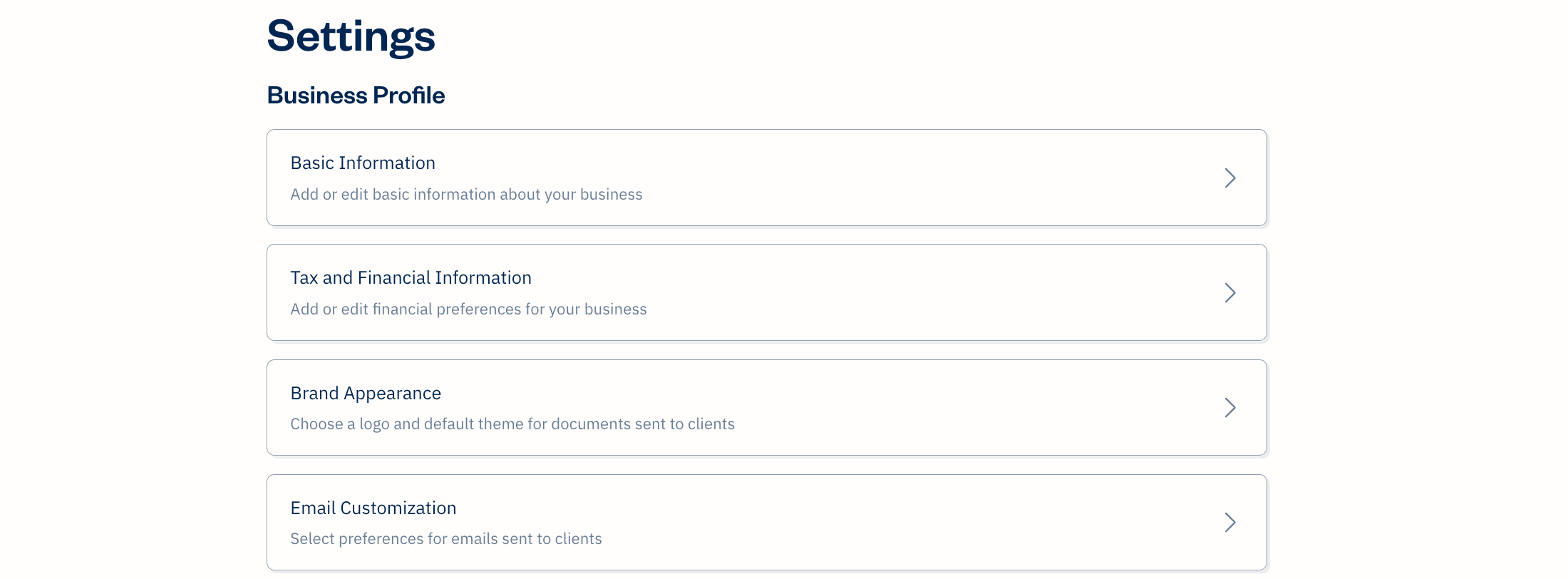
- Click New Invoice link
- A popup is shown. If you have a Premium or Select subscription you can continue and change the email text.
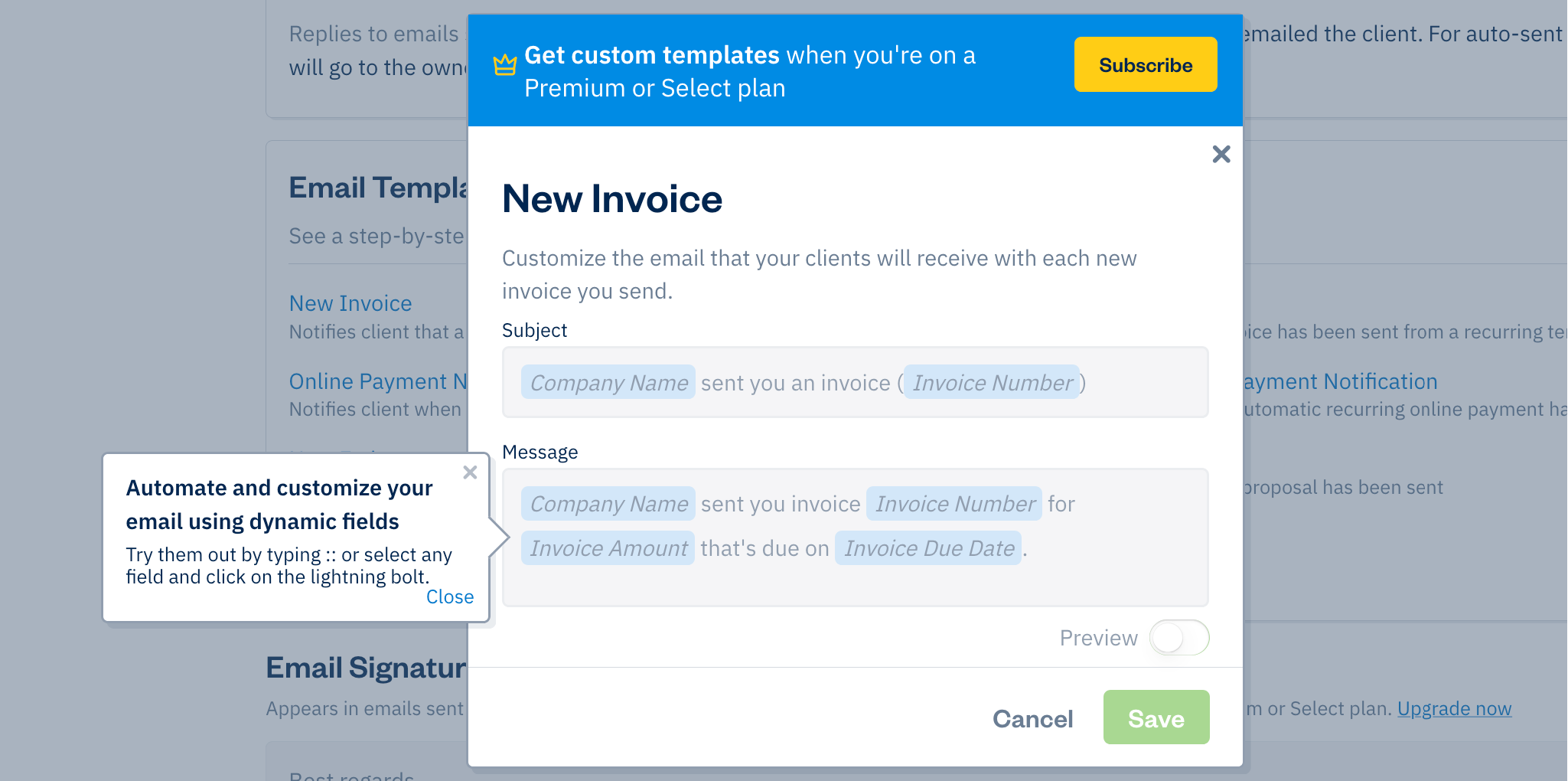
Done! You are now ready to accept bitcoin via your invoices. Test it out with a test invoice.
Remark
You need a Premium or Select subscription in FreshBooks to make use of dynamic variables in templates.